
Instagram and Facebook posting calendar
The car you finished today is tomorrow's post.
Every shop has a phone full of finished cars and a feed that last moved in the spring. Not because nobody cares, but because posting is a job for after closing, and after closing nobody is there. Put the feed on a calendar beside the board and the photos you already took go out on a Tuesday morning without anyone holding a phone.
30-day money-back guarantee. No contract.
Rather see it first? Book a live demo
Saturday's delivery is Tuesday's post.
- Instagram and Facebook, one sign-in
- Photos straight from the job
- Included in Pro and Elite





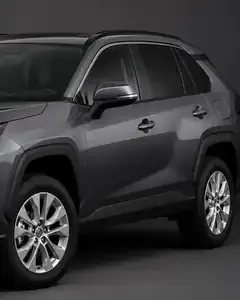
Your best photos are already in the job.
The after shots of every car you deliver are already filed on the job. New post opens them directly: pick From a job, choose the photos, and Carvikon crops them to the shapes Instagram accepts before they leave your browser. Write the caption once, see how it lands on Instagram and on Facebook side by side, and drop it on a day. It goes out on that shop's own clock whether anybody is at the counter or not, and there is no charge per post. Owners and managers run it from Social in the menu.
A calendar, not a queue
Month and week on a computer, an agenda on the phone. Drag a post to another day and it moves; press Undo and it comes back. Every shop on the account keeps its own calendar and its own time zone.
One post, both platforms
Pick the Instagram account and the Facebook Page once and write one caption. A photo, a carousel, a Reel or a Story: the format follows what you upload, and the preview shows each platform before you commit.
Says so when something fails
Each post shows what happened on each platform, with a link to the live post. If one does not go out, owners and managers get a notification, and Retry sends it again without ever publishing it twice.
Questions shops ask about social posting.
No. You connect with one Facebook sign-in, through Schedra, our publishing partner, and choose exactly which Pages and Instagram accounts the shop posts to. Carvikon never sees a password, and disconnecting an account in Settings stops anything scheduled to it.
Instagram and Facebook. One Facebook sign-in brings in your Facebook Pages and the Instagram accounts linked to them, and you pick the ones that belong to the shop.
Yes. New post has a From a job button that opens the photos already filed on the shop's jobs. Pick them, put them in order, choose the cover, and they are cropped to fit Instagram on the way.
The post says so in plain words, per platform, and the shop's owners and managers get a notification. Retry sends only the platform that failed, and it cannot publish the same post twice.
Yes. Each shop keeps its own accounts and its own calendar, follows the location switcher, and posts on its own clock.
Owners and managers. Social sits in the menu next to the board, and the shop's accounts are connected from Settings, Integrations.
Social posting comes with Pro and Elite, with no charge per post.