


Social posting
NewJob photos on a calendar, posted to Instagram and Facebook on time.
Pro and EliteSee Social
Auto shop management software features
Carvikon starts with a board that shows every car and the stage it is in. Everything else — the texts, the calendar, the phone, the books, the feed — reads from that board, so nothing gets typed twice.
30-day money-back guarantee. No contract.
Rather see it first? Book a live demo
Job photos on a calendar, posted to Instagram and Facebook on time.
The customer's own car in a new film, before you order it.
One card per car, one column per stage, on the phone in the bay and the TV on the wall.
Drag a car to its next stage and the whole shop sees it move.
Arrives preset for your trade. Rename, regroup and recolor any of it.
Cycle time, dwell per stage and throughput, read off the board.
A QR poster by the door; the crew clocks in on their own phones.
Phone in the bay, tablet at the desk, TV on the shop wall.
What kind of shop is it?
Onboarding asks once. Tap a trade and this is the board that arrives.
Your production board
10 columns · one repair order per card
Rename any of it afterwards. The names are yours, not ours.
The update goes out when the car moves, and the phone gets answered when nobody can.
Texts and emails that send themselves when the car moves.
An AI receptionist that reads the board and books the slot.
A booking page with only your open times on it.
Authorizations and waivers signed on the customer's phone.
Messaging
Move the card. The update sends.
AI Front Desk
The phone rings. The board answers.
Estimates customers approve from their phone, deposits that move the car, and for wrap shops, the picture that closes the color.
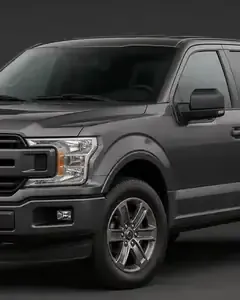
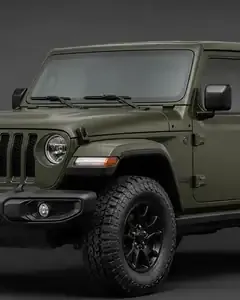
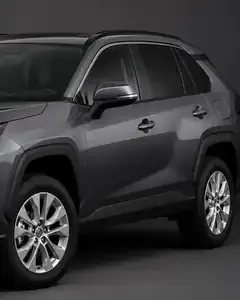
The customer's own car in any film, two-tone, stripe or stealth PPF.
Itemized, with Good/Better/Best options the customer picks from.
Payment links and deposits that move the car when they're paid.
Ask the shop a question and get the actual cars back.
Every delivered car asks for its review, and every finished car can be tomorrow's post.
Delivered on the board, invoiced in QuickBooks, paid out to your bank.
Each one is a sign-in away, from Settings › Integrations.
A job board that shows every car and its stage, a customer CRM, scheduling and online booking, automatic customer texts and emails, e-signatures, a time clock, card payments, reports, Google review requests, Instagram and Facebook posting, QuickBooks sync, an AI receptionist and, for wrap shops, a wrap visualizer. Which ones you get depends on the plan.
Starter has the job board, CRM, scheduling and customer emails. Pro adds texting, e-signatures, the time clock, card payments, reports, Social posting and repair order PDF imports. Elite adds the AI Front Desk, the AI Suite (with the Wrap Visualizer for wrap shops), QuickBooks sync and priority support.
Yes, on Pro and Elite. Social is a posting calendar: connect the shop's accounts with one Facebook sign-in, through Schedra, our publishing partner, so Carvikon never sees a password. Pick photos straight from a job, and the post goes out on the day you chose.
Yes, for wrap and detail shops on Elite. It shows the customer's own car in a new film, a two-tone, stripes or stealth PPF, and the picture can go to the customer as a proof or onto an estimate option.
Gmail, Outlook or your own mail server for customer email, Google Calendar for bookings, QuickBooks Online on Elite, and Instagram and Facebook for Social. Nexpart parts ordering is coming soon.
No. Pick your trade and the board arrives with that trade's stages. Everything else is switched on when you want it, from Settings.
Pick your trade